Keep Them Away for Good with Call Blocker Professional App for Blackberry
Although it is not free like some of the other apps that have been reviewed, Call Blocker Professional app for Blackberry is one app that many people believe supplies extremely good value for the money. Many people in fact would say that it is the best $3 they’ve ever spent because of what it does.
Choice on every call that comes in
When Call Blocker Professional Blackberry app is running, you get some sweet choices on every single call that comes in. You can choose to have the phone pick up and hang up on the caller in a way that does not allow them to realize what has just gone on. If you’d like to hear what the person has to say and just don’t want to talk to them right now however, you can instead choose to send the call right through to voicemail. The choice is completely yours.
Change options on the fly or preset
Whenever Blackberry Call Blocker Professional app is running you will get the options mentioned above. However, if you do not want to get those options all you really have to do is turn the app off and your Blackberry will go back to normal mode. In addition to these on the fly changes, you can also create presets for this mobile application. A good example of this would be choosing to block all calls at night and allow them all during the day.
Custom number actions
At the same time that you have blanket options available with Call Blocker Professional app for Blackberry, you can also create exclusions for those blanket options for special numbers. You can have numbers that are always let through, numbers that are always blocked and of course you can do both of these things to all of your numbers. If you want you can even put a whole area code on the block list so that all 800 numbers as an example are blocked before they’ve even had a chance to register.
Final Score
All of these actions are extremely useful as is the block history that is kept by the app that you can use to review how well your current settings are working. This really is your full call blocking solution as it has everything that you could want. Our final score for Call Blocker Professional Blackberry app is 10 out of 10. If we could give it more than perfect we would.
Categories: BlackBerry Apps, BlackBerry Communication Apps, BlackBerry LifeStyle Apps, BlackBerry Tools Apps Tags: Blackberry Call Blocker Professional app, Call Blocker Professional App for Blackberry, Call Blocker Professional Blackberry app
Tune Your Phone with Cellity App for Blackberry
Cellity has been a great app for Blackberry for a relatively long time. However, with their recent sale to Nokia, it is difficult to say for certain whether this app will continue in the exact same format. However, Nokia has acquired other independent apps before and those apps were always revamped to be better than they were at the time. If the same thing happens with Cellity Blackberry App, people will certainly have cause to celebrate a great app becoming even better.
Synchronize your contacts
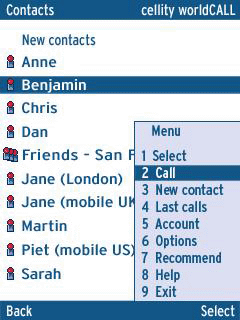
If there is one thing that the Cellity service has really made better it would have to be the idea of synchronizing your address book and other contact lists. The main reason for this is that people have all kinds of different contact lists for telephone, e-mail, instant messaging and social networking, but Cellity gives you the chance to actually put it all together.
You can take contact information from LinkedIn, Twitter, Facebook, Gmail, Yahoo Mail, Hotmail, America On Line, Microsoft Outlook and synchronize them all using your Blackberry Cellity app service. It is a new kind of address book that understands how to read the different contact lists and combine information about the same contact from different sources. It really is a great feature and definitely the one that has given Cellity such charmed status over the years.
Integrate other services
After you’re done with the address book, Cellity app for BlackBerry will give you the chance to take other services and integrate those services into your overall presentation. These services include things like e-mail on a mobile device, backing up of files on your Blackberry, calling conference and of course calling internationally for a low price while at the same time gaining SMS functionality for free. All of these services were either installed, upgraded or on the docket for Cellity when it was acquired by Nokia and as a result only time will tell whether these services will continue to get better.
Final Score
At the moment, Cellity app for Blackberry is in a bit of limbo. Like other apps that were acquired by Nokia, support for the app continues from the main app page but services are not offered from that same location anymore. It is up to Nokia what they are going to do with the app, but as it is right now Cellity Blackberry app is a good app deserving of a final score of 8 out of 10.
Categories: BlackBerry Apps, BlackBerry Communication Apps Tags: Blackberry Cellity app, Cellity App for Blackberry
Reqall BlackBerry App Review
reQall is a handy BlackBerry app that uses your voice, email, IM, and SMS to capture, retrieve, and share ideas and things that you need to do. In other words, the app captures tasks and ideas using your voice, convert it into text, organize your info automatically based on that, shares relevant info with others, and above all, provide proactive memory assistance, thanks to its revolutionary reQall Memory Jogger. It is tough to enunciate what is Reqall in few sentences. Hence, in brief, here are its main features.
BlackBerry reQall App Features
With reQall app for BlackBerry, you need not have to bother to type in everything on the QWERTY keypad. For example, to enter reminders, just say it to the app, and it’ll convert it to text and save it. Also, Reqall automatically organizes your to-dos, notes, and shopping lists by recognizing dates, times, and keywords spoken. The app also understands recurring dates (for example, every Wednesday at 3 pm) and certain keywords (like ‘buy’, ‘meet’ etc).

Further, the app lets the users receive timely reminders via IM or email. Reqall’s path breaking Memory Jogger constantly displays the summary of things that you need to remember at a given time. Other features of the Standard version of the app include browse/email within Reqall items, and work offline like Outlook and sync later.
The Pro version of Reqall offers location based alerts, wherein the app uses GPS to find out your current location. That is, if you’ve set reminders to be displayed only at work, the app uses the GPS feature of the phone to find out your location and pops up a reminder if any task is due at your current location. Also, the pro version integrates seamlessly with Google Calendar/Outlook. Further, in the pro edition of the app, one could create, delete and change the status of items via email. Reminders by SMS are another Reqall pro’s exclusive feature to its users. Finally, the Pro Memory Jogger offers up-to-the minute memory assistance by constantly analyzing your time/location/upcoming calendar items, and anticipating your memory needs.
Conclusion
reQall is a handy BlackBerry app to make notes on-the-go, without typing anything. Its accurate voice-to-text transcription, offline capability, and calendar synchronization, easy to use interface, and memory jogger feature makes Reqall a must have productivity assistant cum organizer in your BlackBerry device. The app works anywhere your BlackBerry got a data connection, and it captures items by voice sans incurring any international call charges. To know more about Reqall mobile application, visit www.reqall.com.
reQall Pro comes at a price tag of $24.99 a year, while the standard version is free.
Categories: BlackBerry Apps, BlackBerry Communication Apps Tags: BlackBerry Communication Apps review, BlackBerry Reqall App, Reqall BlackBerry App
The iSkoot for Skype App for BlackBerry
Communication is an essential element for business. It is more important than personal communication because businesses that work together soar together. In the past, the geographical extent of most businesses was smaller and communication for business was easier. As the economy has become more globalized in the world today, communication for business has become harder. Skype is certainly a great choice for business communication for budding and intermediate enterprises and the iSkoot for Skype app is one that will give you a great jump in that area.
Manage your Skype account from your BlackBerry
The first thing that you can do with iSkoot for Skype is manage your contacts from your BlackBerry device. This means that not only can you gain access to the full list of contacts, you can also update your own status on Skype and even add and remove different contacts from your list depending on how the situation goes. This will allow you to quickly respond to business concerns and it could very well be the app that makes Skype a viable option for your business needs.

Access important Skype features
Managing your account directly from the BlackBerry is important, but it is nowhere near as important as gaining access to important Skype features. Without them, this is essentially crippled software that is not worth your time. Fortunately, you can get push-button Skype calling, access to all of the Skype Out features and of course chatting live over Skype is also available on this BlackBerry app. Being able to do all of these things while mobile might very well be what you need to make Skype into the main communication solution for your current business situation.
Final Score
The iSkoot for Skype application is a fantastic BlackBerry app and it has received a final score of 9 out of 10 from us. It is one of the best software packages out there in terms of excellent specialization. Skype is great for communication, but few in the business community would consider it a long term solution. Now that you can use the Skype calling from your BlackBerry while chatting and increasing your network, the dynamics of those decisions have completely changed. Communication in business is changing and with apps like this one readily available for your BlackBerry, it could very well be true that the businesses that adopt solutions like this one are the ones that will succeed in the long term.
Categories: BlackBerry Apps, BlackBerry Business Apps, BlackBerry Communication Apps Tags: BlackBerry Communication Apps, iSkoot for Skype App, iSkoot for Skype BlackBerry App
UberTwitter BlackBerry App Review
UberTwitter – The Most Popular Twitter Client for BlackBerry
UberTwitter Blackberry app is probably one of the best fully featured Twitter applications you can get for your BlackBerry. The mobile application is absolutely free. Simply download it on to your BlackBerry and start tweeting.
UberTwitter app for BlackBerry will provide you all the Twitter functions including all the advanced capabilities such as photo integration, tweet shrinking, embedded videos in tweets, and URL shortening. UberTwitter, a beta software, offers feedback menu feature which allows you to request new features and report problems.
With UberTwitter Blackberry app, you have the option to use the built-in GPS if it’s available. It gets kudos for taking photos and videos from within the app. Also, it features standard URL-shrinking option. With out leaving the application, you can view trends, e-mail tweets, and see others’ tweeted images. UberTwitter supports most of the features you’ll find in desktop clients like Twhirl and Tweetdeck.

Features of UberTwitter Blackberry App
• Manage multiple Twitter accounts.
• Can upload pictures to a website serving ÜberTwitter users.
• Send videos embedded in your tweet
• Allows you to see everyone who is tweeting near you
• Excellent user interface
• View your list of followers and all of their details.
• View another users list of friends/followers and all of their details
• Allows you to view when a user joined twitter.
• Provides free-form search screen, permitting users access to the full power of Twitter Search.
• Easy to use.
• TweetPhoto.com Support – TweetPhoto is now the default photo sharing service.
• Separate views for replies/retweets and direct messages.
• Automatically update your location to every tweet.
• Integrated options to control the number of avatar images cached
• Provides a wide range of shortcut keys.
• Support for a number of the microblogging service’s major new features.
• More timeline options.
• Interactive notifications of new direct messages,
• View tweets you have marked as favorites.
• Support for ScrollWheel devices.
• Integrated reply all shortcut when viewing a tweet.
• Ability to update your Google Talk status with your last tweet, making your tweets reach a wider audience.
• Speed – UberTwitter is much faster than TwitterBerry.
• View other users’ favorites
Conclusion
UberTwitter app for BlackBerry is amazing and features everything you expect from a Twitter client. Still there is room for growth and change.
Rating – Excellent